🧑‍⚕️

Patient Management

Register patients with national ID parsing, insurance info, and complete profiles

2 min read

Overview

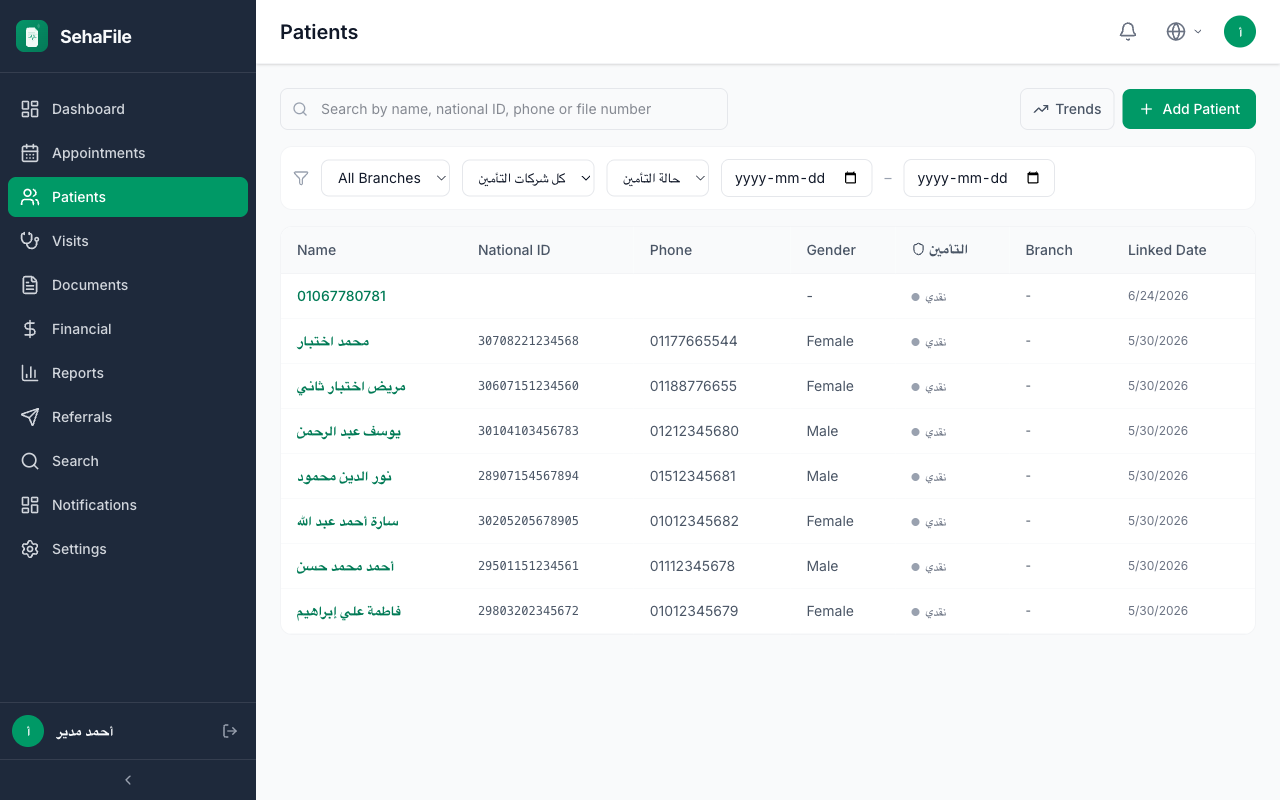
Patient management is the core of SehaFile. Every patient gets a comprehensive digital record including demographics, contact info, insurance details, medical notes, and tags. The system features an intelligent Egyptian National ID parser that automatically extracts date of birth, gender, and governorate from the 14-digit national ID number, reducing data entry errors and speeding up registration.

Registering a New Patient

  1. Navigate to Patients — Click Patients (Users icon) in the sidebar.
  2. Click "Register Patient" — The PatientForm component opens.
  3. Enter National ID (14 digits) — Type the patient's Egyptian national ID. The NationalIdParser component automatically extracts:
    • Date of birth (from digits 1-7)
    • Gender (from digit 13: odd = male, even = female)
    • Governorate of birth (from digits 8-9)
  4. Fill in patient details:
    • Name (Arabic) — Full name as on ID (required)
    • Name (English) — Optional English name
    • Phone — Egyptian mobile (EgyptPhoneInput validates format)
    • Blood type — Select from: A+, A-, B+, B-, AB+, AB-, O+, O-
    • Address — Full address with GovernorateSelect dropdown
  5. Add insurance info (optional):
    • Select insurance company from dropdown
    • Enter insurance member ID, plan name, validity dates, and max coverage
  6. Add medical notes — Any relevant medical history, chronic conditions, or allergies.
  7. Add tags — Categorize patients with tags (e.g., "VIP", "Diabetic", "Pregnant").
  8. Save — Patient is registered with an auto-generated file_number.
Tip: The system enforces uniqueness on national_id per clinic. If you try to register a patient with an existing national ID, you will be prompted to open their existing record instead of creating a duplicate.
Warning: The national ID must be exactly 14 characters. The parser validates the century digit, year, month, and day for logical consistency. Invalid IDs will show a validation error.

Patient registration form showing National ID parser, demographics, and insurance sections

Frequently Asked Questions

Can I register a patient without a national ID?

Yes. The national_id field is nullable. For children without IDs or foreign patients, you can leave it blank and enter demographics manually.

What is the file_number?

An auto-incremented clinic-specific number (e.g., "P-0001"). It is unique per clinic and serves as a local identifier alongside the national ID.

Can patients be shared across branches?

Yes. Patient records are at the clinic level (not branch level). When a patient visits any branch, their full history is accessible. The branch_id on the patient record indicates their primary/home branch.

Was this article helpful?