Subscription & Billing
View your plan, monitor quota usage, and manage subscription payments
Overview
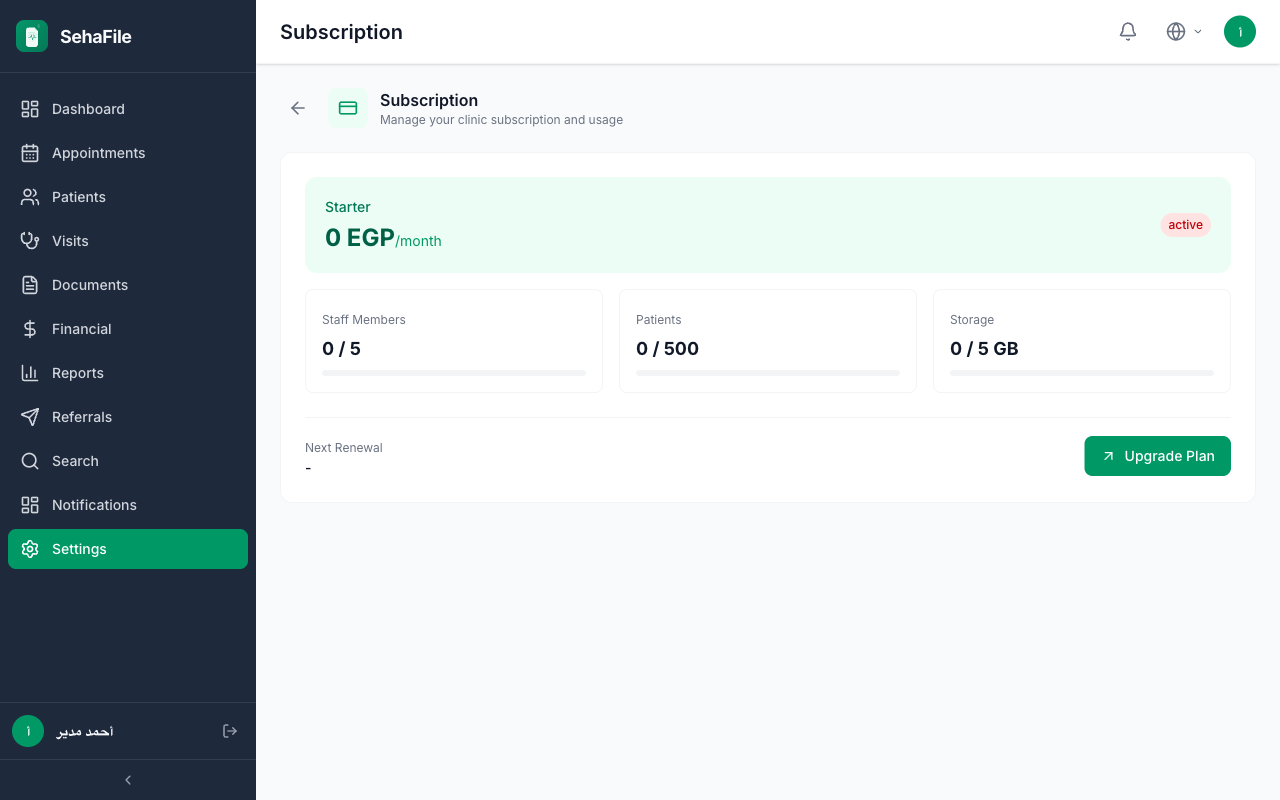
The Subscription page shows your current plan, quota usage, billing history, and payment options. SehaFile uses a quota-based model: each plan has limits on patients, monthly visits, staff members, and storage. Monitor your usage to avoid hitting limits, and upgrade when your clinic grows. Payments are in EGP with monthly or annual billing cycles.
Viewing Your Subscription
- Navigate to Settings > Subscription — Click Settings and select the Subscription tab.
- View current plan details:
- Plan name — Your active plan (e.g., "Professional")
- Status — trial, active, grace_period, suspended
- Billing cycle — monthly or annual
- Current period — Start and end dates
- Price — Monthly amount in EGP
- Monitor quota usage:
- Patients — current_patients / max_patients
- Monthly visits — current_monthly_visits / max_monthly_visits
- Staff — current_staff / max_staff
- Storage — current_storage_bytes / max_storage_gb
- View payment history — List of past payments with amounts, dates, and receipt URLs.
Making a Payment
- Click "Make Payment" on the subscription page.
- Select payment method: bank transfer, Vodafone Cash, Instapay, or card.
- Upload payment receipt or enter transaction reference.
- Submit. Payment status shows as "pending" until verified by platform admin.
Subscription page showing plan details, quota usage bars, and payment history
Frequently Asked Questions
What happens when my trial ends?
After 14 days, the trial expires. You have a 7-day grace period to subscribe. During grace, you can view data but cannot create new records.
Can I downgrade my plan?
Yes, but only if your current usage is within the lower plan's limits. The downgrade takes effect at the next billing period.
Is there an annual discount?
Yes. Annual billing typically saves 15-20% compared to monthly billing. Check annual_price_egp on each plan for exact savings.
Was this article helpful?